


STRIPE CHECKOUT INTEGRATION
Stripe Payments & Donations for WordPress |
Set up the full power of Stripe Checkout in just minutes using our Plugin. Manage over 125 payment methods directly from your Stripe Dashboard – and control 135 currencies effortlessly through our Plugin.*
Whether you’re selling products, accepting donations, offering tickets, coaching sessions, digital goods, subscriptions, or running campaigns – our Plugin brings all Stripe Checkout solutions together in one place.
Easily track your online payments, automate confirmation emails, redirect users to custom landing pages after payment, and define custom Stripe metadata for different Checkout forms – all powered by secure Stripe Checkout.

Automation Stripe AI
Automate your payment processing with Stripe Checkout using WordPress, JavaScript & PHP — enhanced by AI for smarter, faster transactions

Analytics & Insights
Gain valuable analytics and insights from your Stripe Checkout transactions to better understand customer behavior and optimize performance

Cloud Infrastructure
Stripe Checkout runs on secure and scalable cloud infrastructure, ensuring reliable payment processing and global availability

Fast & Secure Payment
Fast. Secure. With Stripe Checkout, your customers enjoy lightning-fast transactions backed by industry-leading security

OPTIMIZED CHECKOUT SUITE
Stripe Checkout with AI-Powered Features
Experience faster, smarter, and more secure payments with Stripe’s AI‑powered Checkout. Stripe automatically detects the best payment methods for each customer based on location, device, and behavior — helping you increase conversions and reduce cart abandonment.
From intelligent fraud detection to optimized payment flows, Stripe’s AI continuously improves your checkout performance. No complex setup required — just smarter payments, right out of the box.
Stripe Checkout WordPress Plugin
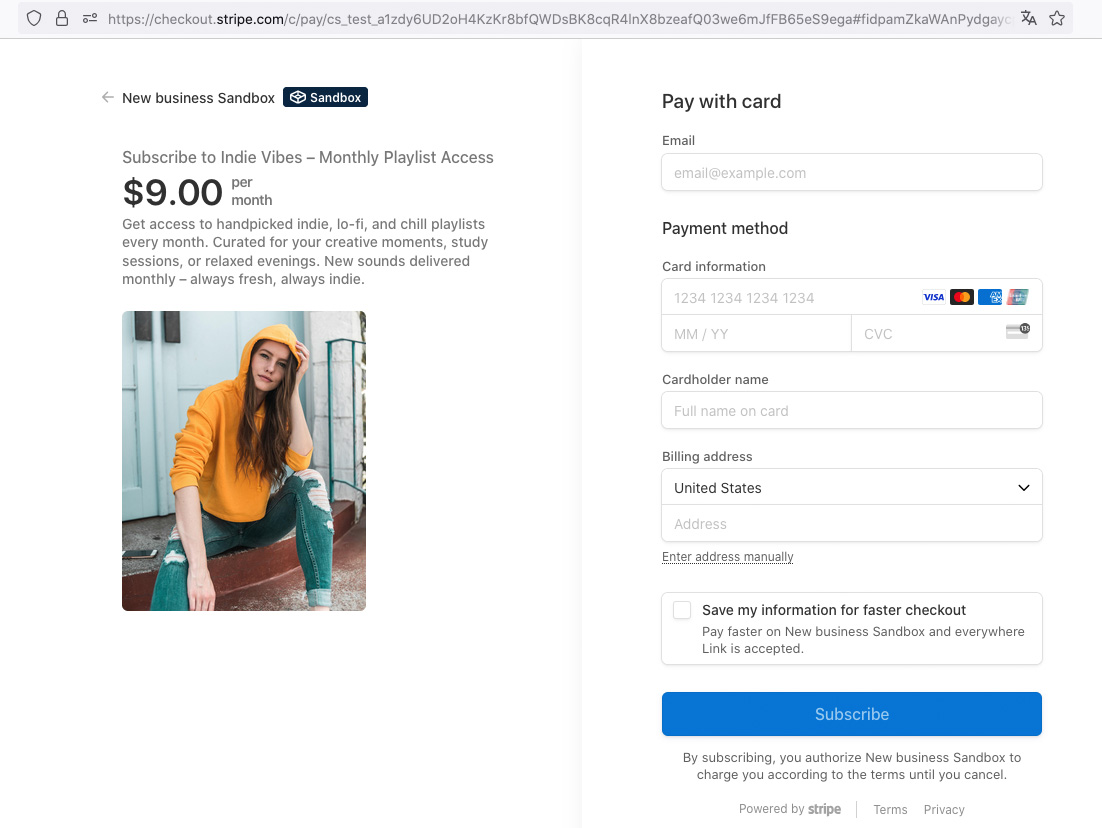
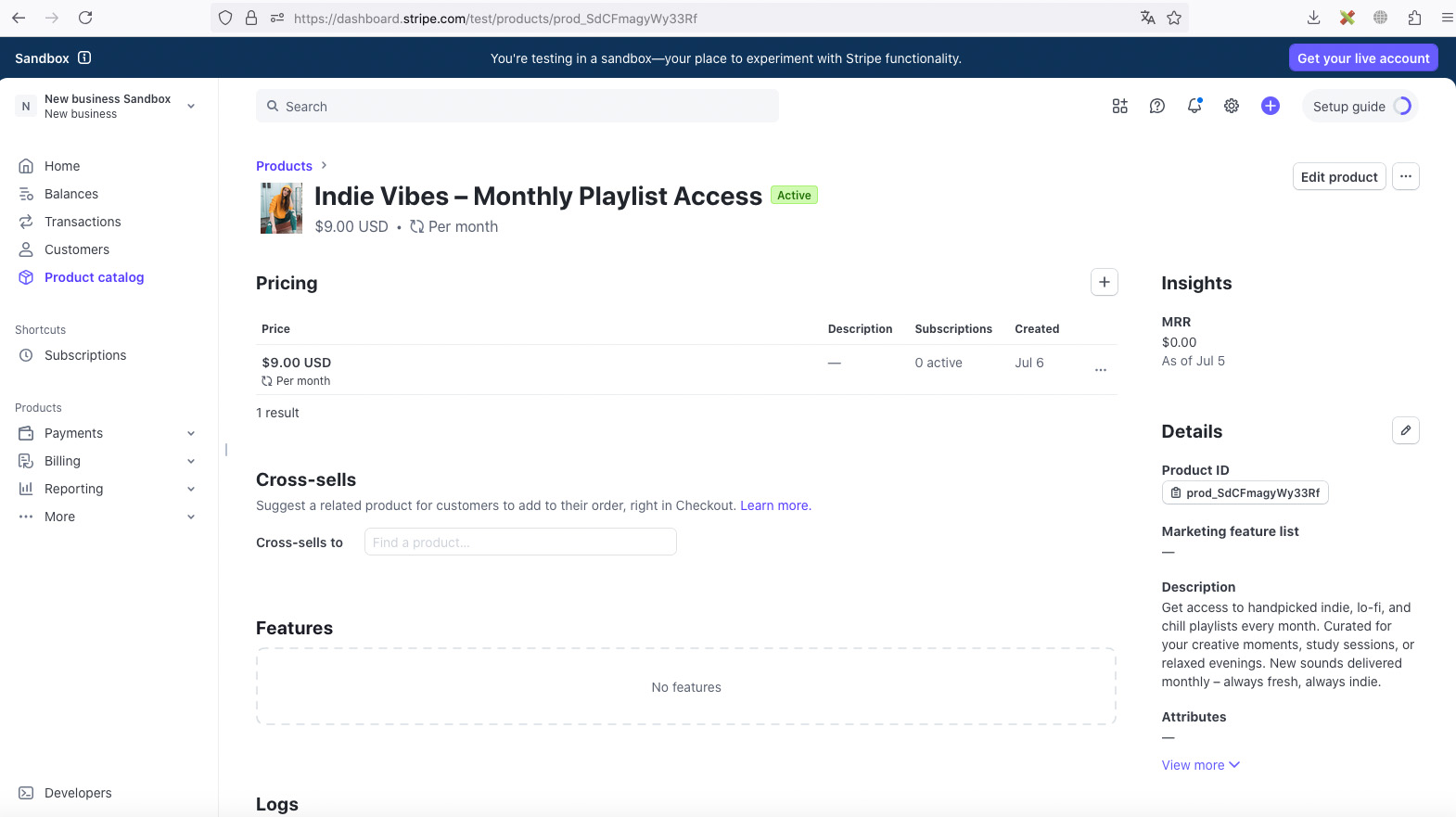
Discover Our Plugin in Pictures
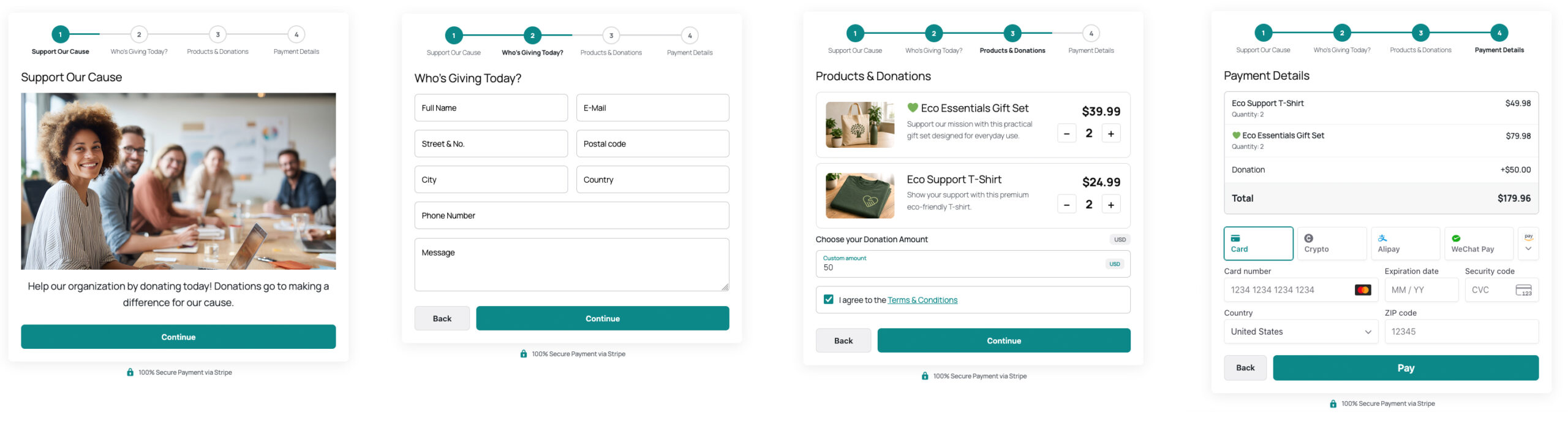
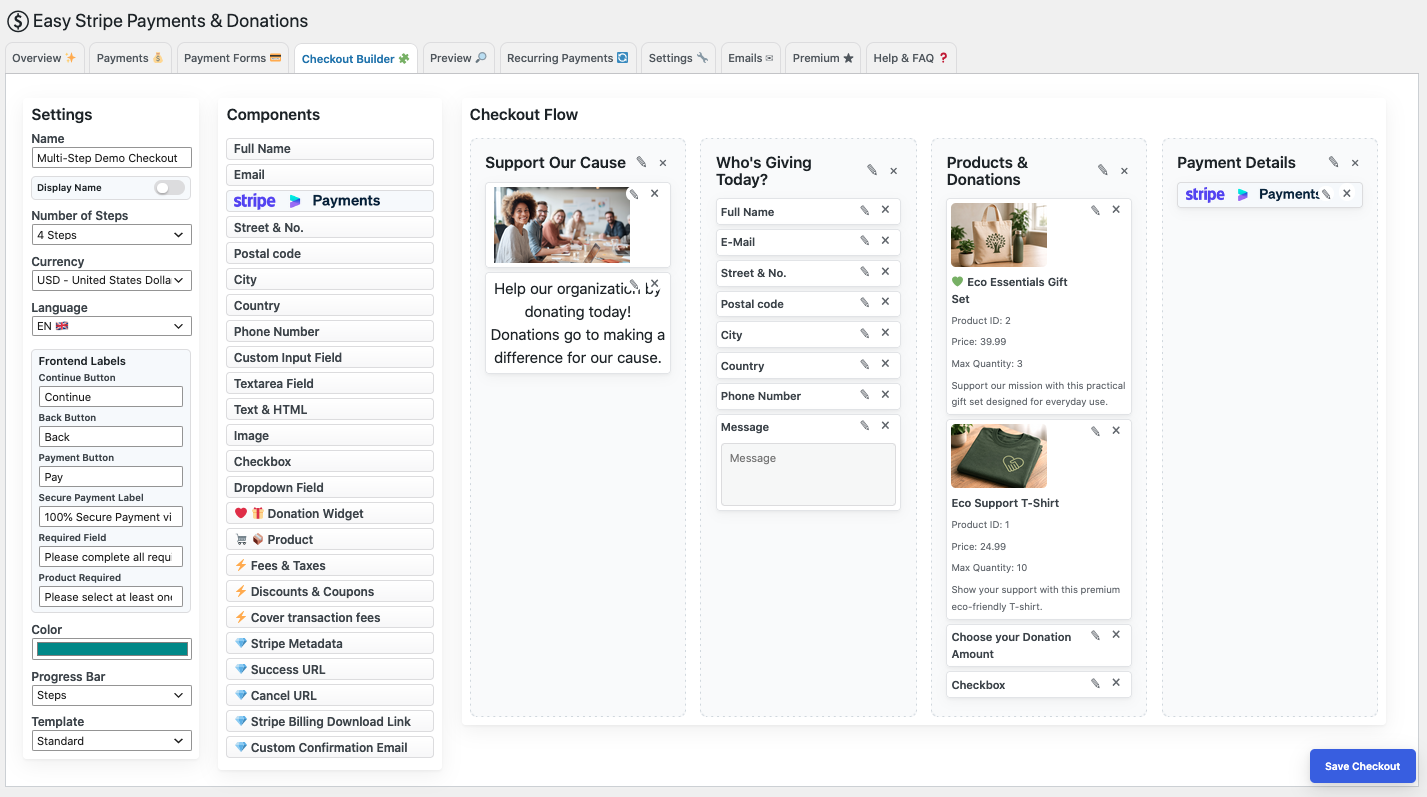
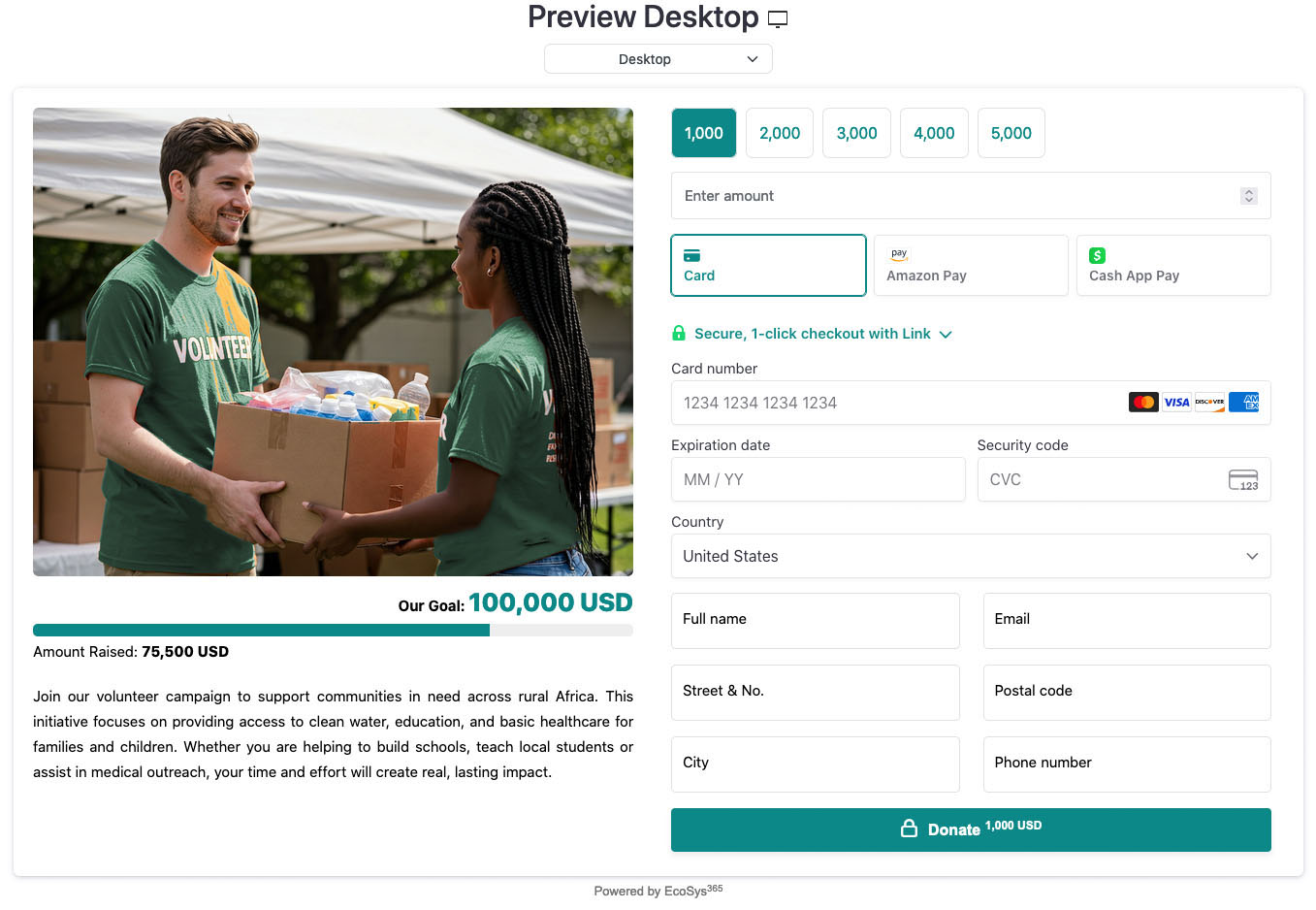
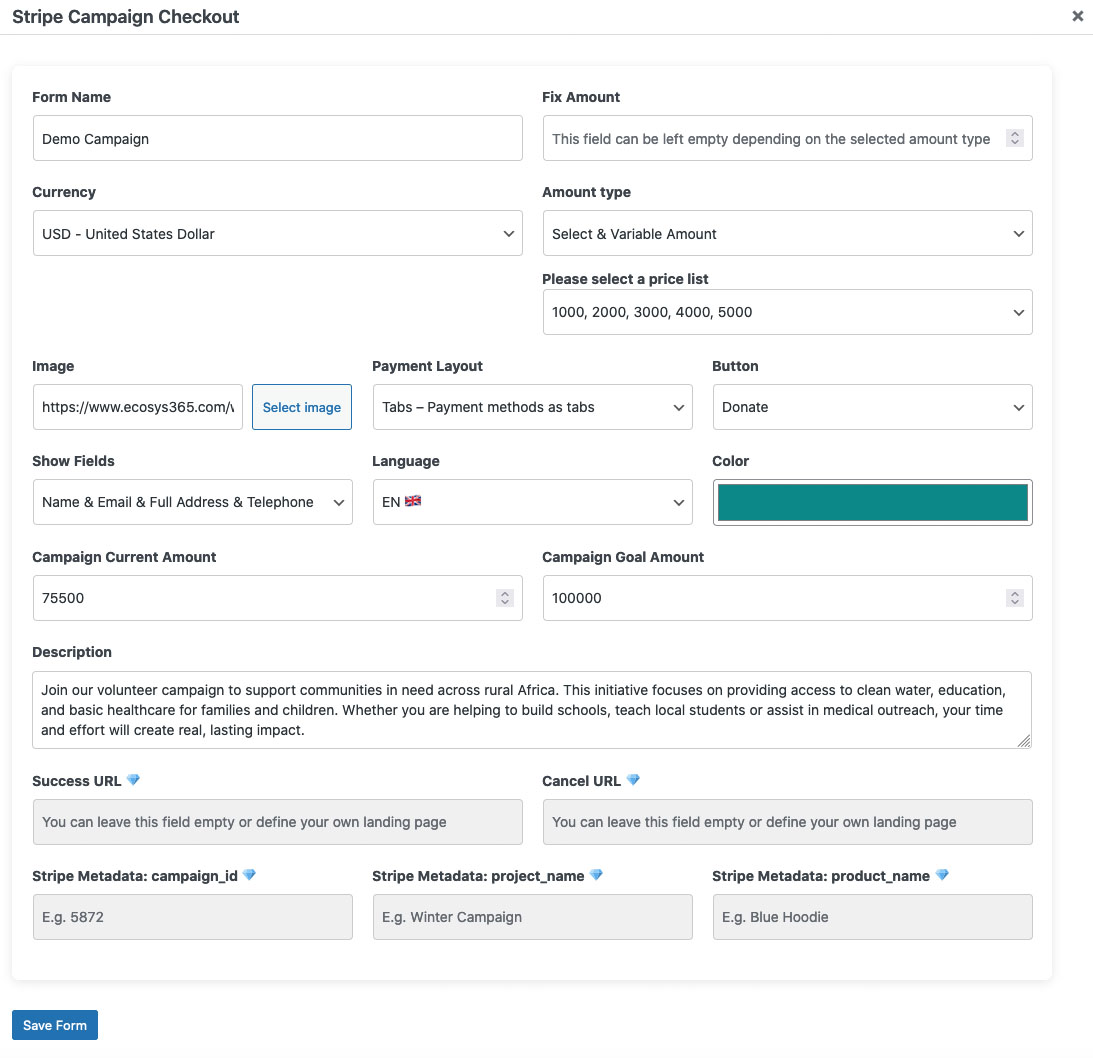
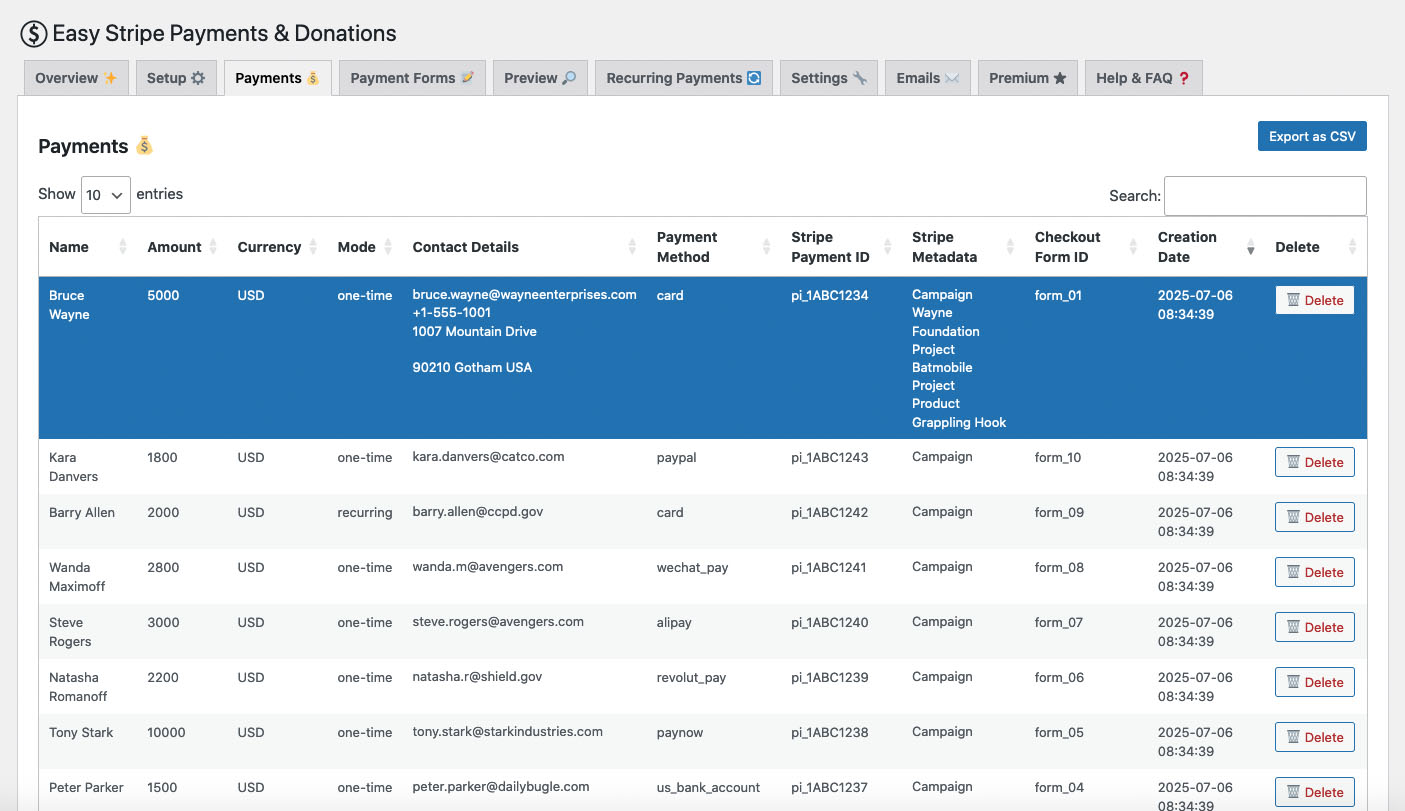
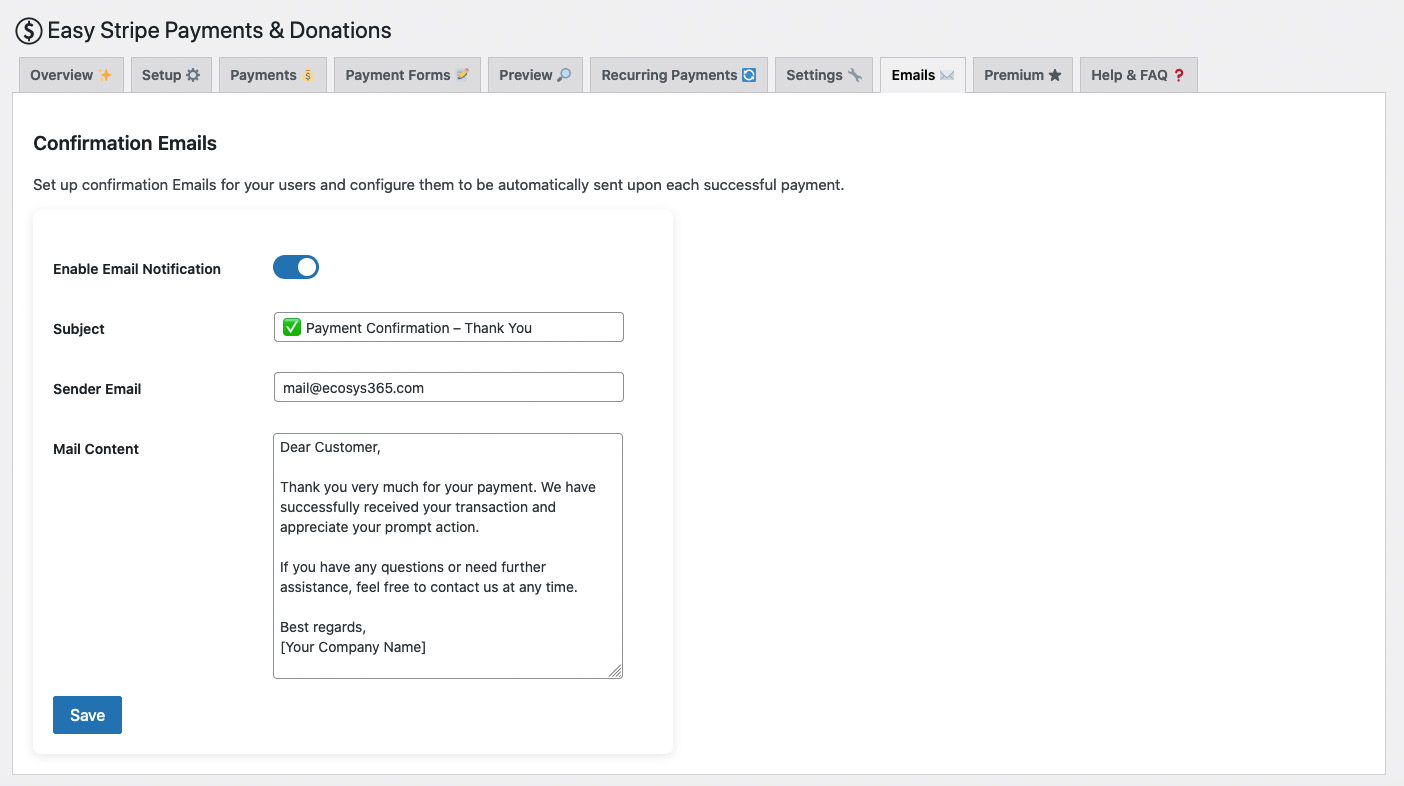
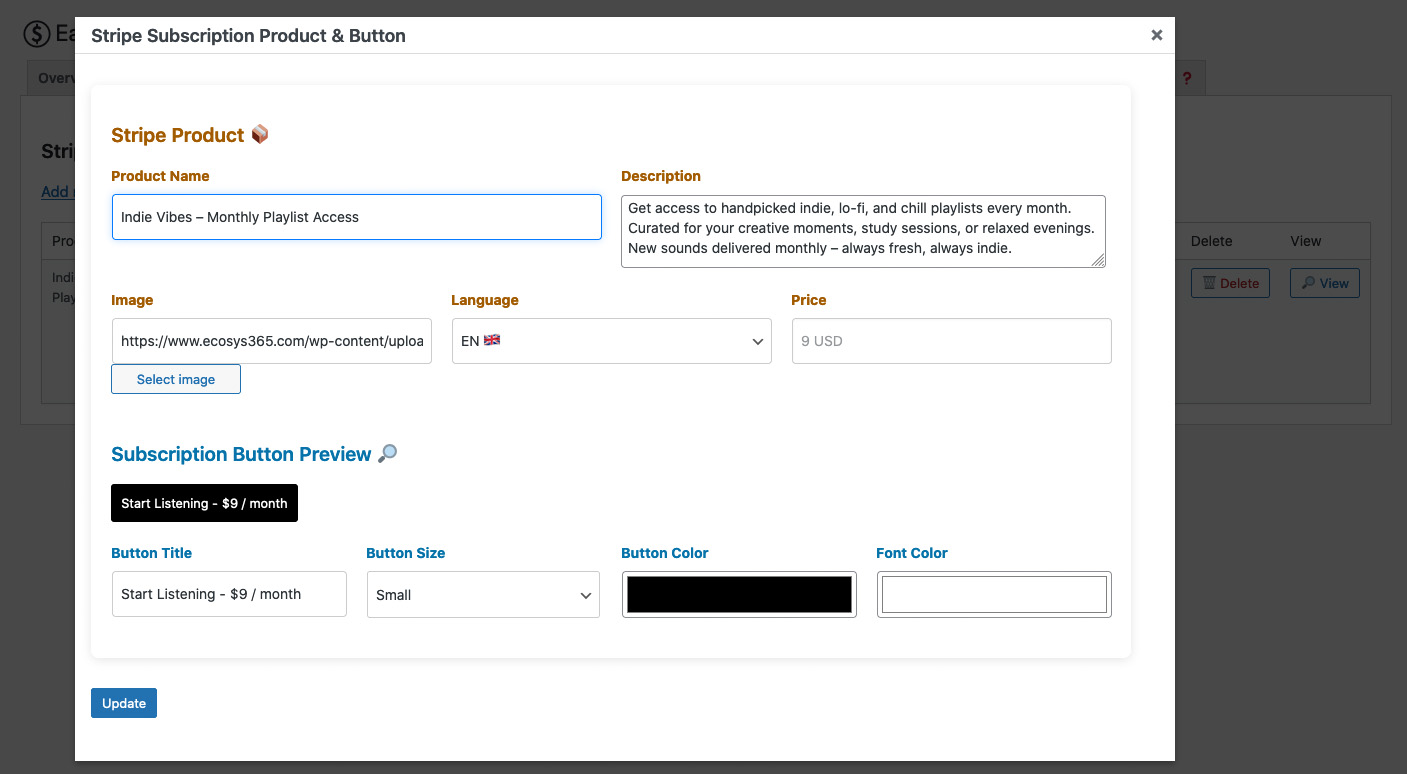
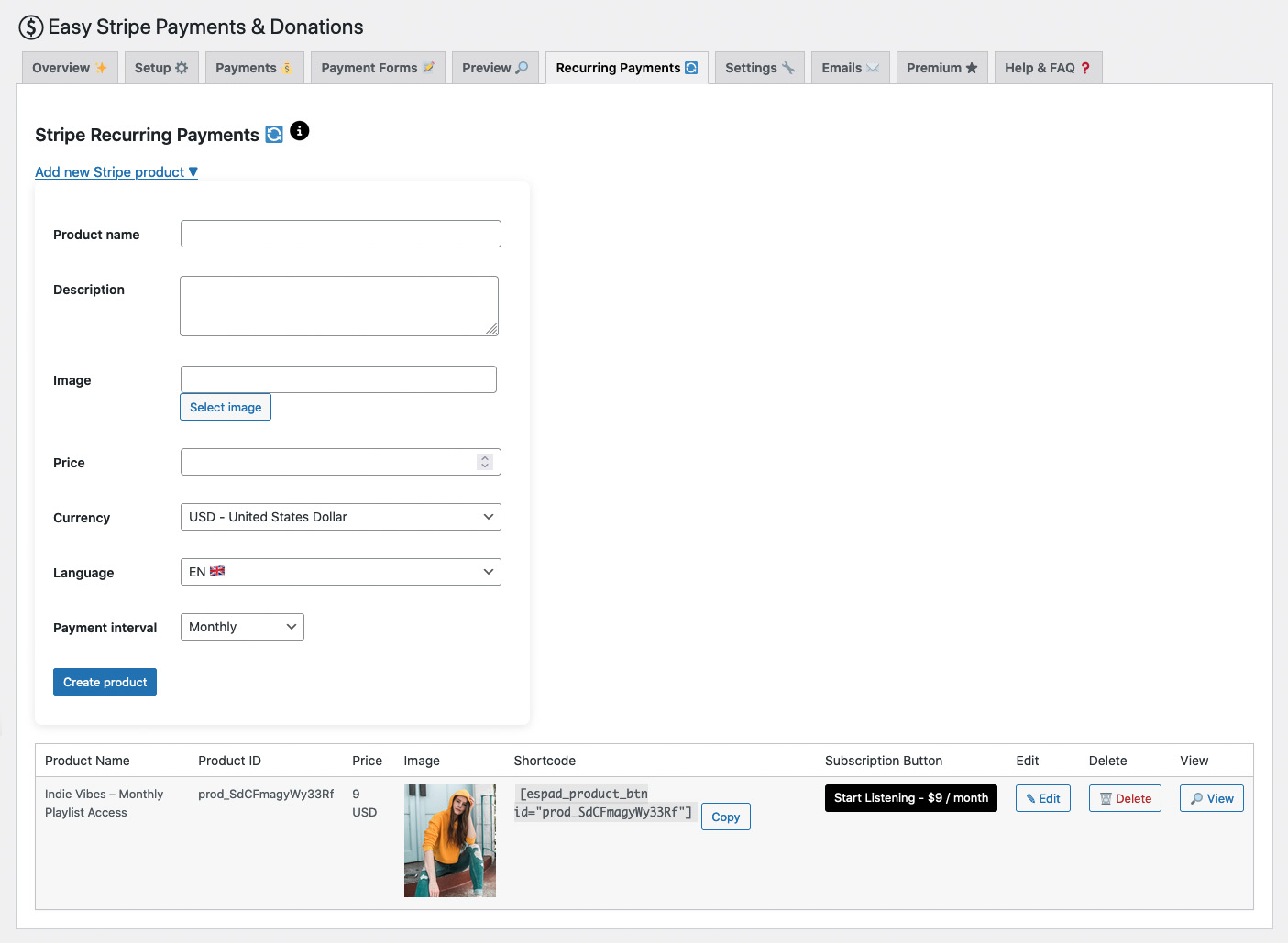
ACCEPT MULTIPLE CURRENCIES
Stripe Worldwide
Stripe makes it super easy for millions of businesses to accept online payments quickly and safely — powering the way we shop online today.

Get 20% off – limited time offer 🕓
Register your domain now and get a full year of Premium Membership
for just $149 instead of $187
SUPPORT CENTER
Help & FAQ
To connect your Stripe account, navigate to the plugin settings and click the "Connect with Stripe" button. You will be securely redirected to Stripe, where you can log in and select the account you want to connect. Once you confirm the authorization, you'll be redirected back to your site.
That's it — your Stripe account is now connected and ready to use.
You can test credit card payments using the following test data:
Card Number: 4242 4242 4242 4242
Expiration date: 01-29 future valid date
CVC: 123 or any number
Your Stripe keys are securely encrypted and stored in your own WordPress database, on the site where the plugin is installed. At no point are these keys shared with any third party.
Security and trust are extremely important to us. We understand the responsibility that comes with handling sensitive data. That’s why we’ve built the plugin in a way that ensures unauthorized access is not possible.
All settings and credentials exist strictly within the plugin’s own namespace, following best practices in the WordPress ecosystem to prevent interference or data leaks.
Payments are deposited directly into your Stripe account. You can manage payouts in your Stripe Dashboard.
There are no additional transaction fees when using the Standard Checkout or Subscription Button with your own Stripe API keys — you only pay Stripe’s standard fees. For all other checkout forms powered via Stripe Connect, a small platform fee of 1.8% per transaction applies.
No, you can only have one mode active at a time — either test or live. You can switch the mode using the Stripe Public and Secret Keys in the plugin settings.
The plugin supports all currencies supported by your Stripe account. Please note that your connected bank account must also be compatible with the currency.
These are the supported currencies: USD, EUR, GBP, CNY, HKD, JPY, CHF, CAD, AUD, SGD, AED, AFN, ALL, AMD, ANG, AOA, ARS, AWG, AZN, BAM, BBD, BDT, BGN, BHD, BIF, BMD, BND, BOB, BRL, BSD, BTN, BWP, BYN, BZD, CDF, CLP, COP, CRC, CUP, CVE, CZK, DJF, DKK, DOP, DZD, EGP, ERN, ETB, FJD, FKP, GEL, GHS, GIP, GMD, GNF, GTQ, GYD, HNL, HRK, HTG, HUF, IDR, ILS, INR, IQD, IRR, ISK, JMD, KES, KGS, KHR, KMF, KRW, KWD, KYD, KZT, LAK, LBP, LKR, LRD, LSL, LTL, LVL, LYD, MAD, MDL, MGA, MKD, MMK, MNT, MOP, MRU, MUR, MVR, MWK, MXN, MYR, MZN, NAD, NGN, NIO, NOK, NPR, NZD, OMR, PAB, PEN, PGK, PHP, PKR, PLN, PYG, QAR, RON, RSD, RUB, RWF, SAR, SBD, SCR, SDG, SEK, SHP, SLL, SOS, SRD, SSP, STN, SYP, SZL, THB, TJS, TMT, TND, TOP, TRY, TTD, TWD, TZS, UAH, UGX, UYU, UZS, VEF, VND, VUV, WST, XAF, XCD, XOF, YER, ZAR
Yes, the plugin supports Stripe subscriptions. You can configure these ( Recurring Payments ) via product settings with intervals like "monthly" or "yearly."
All payments are processed directly through the Stripe API. The plugin does not store any sensitive payment data on your server. Additionally, recommended WordPress security measures like nonces, sanitizing and prepared statements are implemented.
On normal deactivation, your Stripe connections and settings – including your encrypted API keys – remain stored in the database. A complete deletion via the plugin overview page will remove all plugin data.
Refunds must be made directly through the Stripe dashboard. The plugin currently does not offer an in-plugin refund feature. Please note that neither Stripe processing fees nor any fees charged by EcoSys 365 Solutions LLC are refunded when a payment is refunded.
Check your Stripe dashboard for detailed error messages. Common reasons include invalid API keys, currency mismatches, or card declines. Make sure your keys are correct and the plugin is in the correct mode ( Test / Live ).
Yes, the plugin offers options to customize labels, button texts, payment types, images, campaigns, appearance, Stripe Metadata etc.
Stripe handles all sensitive payment data, so PCI compliance burden on your server is minimal. However, you should still follow best practices for website security.
You can accept payments in any currency supported by your Stripe account. Ensure your products and pricing are set up accordingly.
Yes, plugin users can manage all payment methods directly through their Stripe Dashboard and these will be automatically displayed on the website’s checkout form.
These payment methods are supported by Stripe, among others: Credit & debit cards (Visa, MasterCard, American Express, Discover, etc.), Apple Pay, Google Pay, Klarna, PayPal via Stripe (if enabled in your Stripe account), SEPA Direct Debit, Bancontact, iDEAL, Sofort, EPS, Giropay, Przelewy24 (P24), BLIK, Afterpay / Clearpay, Alipay, WeChat Pay, Revolut Pay, OXXO, Pix, Amazon Pay, Affirm, Zip, Link by Stripe, MobilePay, Vipps Payments, Satispay
Yes, that is possible. However, we recommend fully deleting the plugin using the delete function on the plugin overview page before connecting it to a different Stripe account. Otherwise, inconsistencies with the database (payments, subscription buttons, etc.) may occur.
Yes. We reserve the right to terminate a premium membership without refund if a website using our plugin contains illegal, prohibited or content we deem morally unacceptable.
We do not support the use of our plugin on websites that promote hate, violence, discrimination or any content that violates applicable laws or our ethical standards. If such content is detected, we may suspend or revoke access to premium features at any time, without prior notice and without a refund.
We encourage all users to ensure that their websites align with legal standards and basic ethical principles. If you are unsure whether your content meets these guidelines, feel free to contact us in advance.
Please contact our support team at: support[at]payments-and-donations[dot]com
No. We accept no liability for any damages, outages or losses that may arise from the use of this plugin. The use of the plugin is at your own risk. You are solely responsible for correctly configuring your Stripe settings, monitoring payments and complying with applicable legal and tax regulations. We provide the plugin "as is" without any warranties or guarantees.
Yes. With the Checkout Builder, you can create a simple Mini Shop directly on your WordPress website without setting up a complete e-commerce platform. Add physical products, digital products or services, allow customers to select quantities, and collect payments securely through Stripe.
This is ideal if you only need a lightweight way to sell a small number of products or services and want to get started quickly.
Yes. One of the key features of Easy Stripe Payments & Donations is the ability to combine product sales and donations in a single checkout flow.
For example, a customer can purchase a product and optionally add a donation before completing the payment. This makes the Checkout Builder especially useful for nonprofits, charities, associations and other organizations that sell products while also accepting supporter contributions.
The Mini Shop can be used for physical products, digital products and services. You can add product information, prices and quantities and combine them with other fields in your checkout.
This makes it suitable for many different use cases, from merchandise and digital products to simple service offerings.
No. You don't need WooCommerce or another full e-commerce system to create a Mini Shop with Easy Stripe Payments & Donations.
The Checkout Builder provides a lightweight alternative for websites that simply want to sell products or services and accept Stripe payments without installing and configuring a complete online store.
Want to learn more about the architecture behind this approach? Read our in-depth guide: A Lightweight Stripe Payment Architecture for WordPress — Without WooCommerce
Yes. Customers can select the quantity of the products they want to purchase directly within the checkout. The selected products and quantities are then included when the payment is calculated.
This allows you to create a simple shopping experience while keeping the checkout compact and easy to use.
The Mini Shop is designed for anyone who needs a simple way to sell products or services through WordPress without building a complete online store.
It can be particularly useful for nonprofits, charities, associations, creators, coaches, freelancers and small businesses that want to sell a limited selection of physical products, digital products or services using Stripe.
The Mini Shop is designed to provide a simple and lightweight checkout experience rather than replace a complete e-commerce platform.
If you need advanced inventory management, shipping systems, large product catalogs or complex order management, a dedicated e-commerce solution may be more appropriate. If you simply want to sell a few products, digital products or services — and optionally combine them with donations — the Mini Shop offers a much faster and simpler way to get started.
Yes. The Checkout Builder allows you to create modern multi-step checkout forms and organize your checkout into multiple steps. This helps you keep longer forms clear and easy to navigate while collecting the information you need before the customer completes the payment.
Yes. You can add custom fields to collect additional information from your customers or supporters. This is useful for contact details, messages, preferences or other information related to a purchase or donation.
Yes. The Checkout Builder allows you to add your own text and HTML content to the checkout. You can use this to provide instructions, product information, explanations or other important details directly within the checkout flow.
Yes. You can combine products with an optional donation in the same checkout. Customers can purchase the products they want and add an additional contribution before completing their payment.
This can be especially useful for nonprofits, charities and organizations that sell merchandise while giving supporters another opportunity to contribute.
Yes. You don't have to use the Mini Shop functionality. Easy Stripe Payments & Donations can also be used to create dedicated donation forms where supporters simply choose or enter a donation amount and complete their payment through Stripe.
Yes. Donations are optional. You can use the Checkout Builder purely for selling products or services and create a straightforward Stripe checkout without including a donation option.
Yes. You can create different checkout experiences for different use cases. For example, you could have one checkout for donations, another for merchandise and another that combines products and donations.
This gives you the flexibility to create checkout flows tailored to different pages, campaigns or audiences.
Yes. The combination of products and donations makes the Mini Shop particularly useful for nonprofits and charities. For example, you can sell merchandise, supporter products or campaign-related items while allowing buyers to add an optional donation during the same checkout process.
Yes. Coaches, freelancers and other service providers can use the Checkout Builder to offer services and collect payments without setting up a complete online store.
You can also collect additional information from the customer as part of the checkout, making it useful for simple service-based payment flows.
Yes. This is one of the main use cases of the Mini Shop. You can offer merchandise or supporter products and include an optional donation in the same checkout.
Instead of sending visitors through separate product and donation processes, both can be combined into one checkout experience.
The Checkout Builder is designed around a direct checkout experience, so you don't need to build a traditional online shop with customer accounts just to start accepting payments.
This can make the purchasing process much simpler for small shops, donation campaigns and one-time purchases.
The Mini Shop is not intended to replace a full e-commerce platform in every situation. Instead, it provides a lightweight alternative for websites that don't need features such as large product catalogs, advanced inventory management, complex shipping rules or extensive order management.
If your goal is simply to sell a limited number of products, digital products or services through Stripe — especially when you also want to collect donations — the Mini Shop can be a much simpler solution.
A full e-commerce system can be more than you need if you only want to sell a few products or services. The Mini Shop lets you create a focused checkout experience without building an entire online store around it.
You can start with a small selection of products, accept Stripe payments and optionally add donations, making it particularly useful for smaller projects and organizations that want to get started quickly.
Yes. You can create checkout experiences for fundraising campaigns and combine donations with products or supporter items.
For example, supporters could purchase a campaign T-shirt and add an additional donation within the same checkout.
Yes. The Checkout Builder can collect additional information as part of the checkout process. This allows you to create more than just a payment button and tailor the checkout to the information required for your particular use case.
A simple payment button is useful when you only need to collect a payment. Easy Stripe Payments & Donations goes further by allowing you to build customized checkout experiences with multiple steps, products, quantities, custom fields and donations.
A particularly useful feature is the ability to combine product purchases and donations within the same checkout, giving you more flexibility without requiring a full e-commerce platform.
Yes. Relevant information collected during the checkout can be passed to Stripe as metadata and associated with the payment.
This can include information from your checkout fields as well as details related to the purchase or donation, giving you a structured way to access checkout information after the payment has been completed.
Yes. Checkout information stored as Stripe metadata can be used as part of your own integration with external systems.
For example, you can process Stripe events with webhooks and use the associated payment and metadata to send relevant information to your CRM, membership system or other business application.
This gives developers and organizations the flexibility to build workflows around the data collected through the checkout.
Yes, this is possible through a custom integration. Checkout information can be stored in Stripe metadata and retrieved when processing the appropriate Stripe webhook events.
Your integration can then use this information to create or update records in CRM systems such as HubSpot, Salesforce, CiviCRM or other platforms that provide an API.
The exact implementation depends on the CRM and your individual workflow.
Yes. Stripe webhooks can be used to react automatically to payment events. Because relevant checkout information can be included in Stripe metadata, your webhook integration can use that data for further processing after a successful payment.
For example, you could send customer information to a CRM, record a donation, process a product purchase or trigger another workflow in your own system.
Stripe metadata provides a convenient way to keep additional checkout information associated with a Stripe payment.
Instead of only knowing that a customer paid a certain amount, your integration can also access additional context collected during checkout. This can be particularly useful when a single payment contains a combination of products, services and donations.
The metadata can then be used by your own webhook integrations and connected systems for further processing.
Yes. When the relevant information is available in Stripe metadata, your integration can use it to determine what was included in the checkout.
This makes it possible to build different workflows for different types of transactions — for example, recording a product purchase while separately processing an additional donation in your CRM or fundraising system.
Yes. A single checkout can contain different types of information, such as customer details, purchased products or services and an additional donation.
Using Stripe webhooks and metadata, your own integration can process this information and trigger different actions. For example, you could update a contact, record a purchase and create a separate donation record from the same successful checkout.
No. Using Stripe metadata and webhooks, checkout data can be processed and forwarded to virtually any CRM or external system with a suitable API — including platforms such as Salesforce, HubSpot, Zoho CRM, Microsoft Dynamics 365, monday.com, Pipedrive, CiviCRM, SuiteCRM, Odoo, ActiveCampaign, Bitrix24, EspoCRM, Neon CRM, Bloomerang, DonorPerfect, Blackbaud and many others, as well as custom applications and internal systems.
Yes. The use of Stripe metadata makes the checkout particularly useful for developers and organizations that want to create their own automated workflows.
After a payment, your application can process the relevant Stripe webhook event, read the associated metadata and use that information in another system according to your own business requirements.
Yes. The Checkout Builder can act as more than just the frontend for collecting a payment. By combining checkout fields with Stripe metadata and webhooks, it can also serve as the starting point for your own automated data workflows.
For example:
Customer completes checkout → Stripe processes payment → Stripe webhook is triggered → your integration reads the metadata → data is sent to your CRM or other system.
This gives you the flexibility to connect your WordPress checkout with the systems your organization already uses.
No. Easy Stripe Payments & Donations is designed to make Stripe payments accessible to WordPress users without requiring any programming knowledge. You can create and configure payment forms, donation forms, and checkout flows directly from your WordPress dashboard and add them to your website without writing custom code.
At the same time, the plugin gives developers and advanced users the freedom to customize the frontend using their own CSS and JavaScript. This makes it possible to adapt the appearance and behavior of your checkout experience to match your website, brand, or specific use case.
With the help of modern AI coding tools, you can go even further and create highly customized checkout experiences without having to build an entire payment integration from scratch. The plugin handles the Stripe payment functionality, while your custom frontend code gives you the flexibility to create a checkout that looks and feels unique.
For inspiration, visit our Demo & Examples website at demo.ecosys365.com, where you can explore different checkout ideas and download additional frontend code that you can use or adapt for your own website.
With the Multistep Checkout Builder, you can create your own customized checkout flow with up to 10 individual steps. Each step can include custom text input fields, HTML content, images, checkboxes, and other elements, giving you the flexibility to design a checkout experience that fits your specific use case.
You can also create products and combine them with donations within the same Multistep Checkout. This is especially useful for nonprofits, charities, associations, and fundraising organizations that sell physical products while also giving supporters the opportunity to make an additional donation during the checkout process.
For example, a supporter could purchase merchandise from your organization and then be offered the option to add a donation before completing the payment.
The Checkout Builder also allows you to add fees or credits to your checkout flow, giving you even more control over how the final payment amount is calculated.
One of the key strengths of the Multistep Checkout Builder is the ability to integrate your existing custom payment forms directly into your checkout flow. You can combine them with checkboxes, custom input fields, additional information, and other elements to create a checkout experience tailored to your organization and your customers.
Every individual element you create within the Checkout Builder is automatically captured and stored in Stripe as metadata.
Using Stripe metadata, you can build powerful automation workflows and transfer relevant checkout information to your preferred CRM or business platform, such as HubSpot, monday.com, Salesforce, CiviCRM, SuiteCRM, and many others. To automate Stripe metadata workflows, you can use tools such as Zapier, Make.com, or n8n.
This opens up a wide range of possibilities: automatically create or update contacts, identify donors and supporters, transfer custom form responses, categorize purchases, trigger follow-up workflows, or connect payment data with your existing CRM processes.
The result is more than just a payment form: you can build your own individual checkout flow, collect the data that matters to your organization, and use that data beyond Stripe in your existing business or nonprofit workflows.
Yes. Easy Stripe Payments & Donations is built with maximum frontend flexibility in mind. This flexibility is not limited to the Multistep Checkout Builder – it also extends to our other checkout and payment forms.
Developers and advanced users can target individual elements using dedicated selectors and customize the frontend with their own CSS and JavaScript. Within the Multistep Checkout Builder, this flexibility goes even further: individual steps and their elements can be targeted and customized separately.
This gives you the freedom to go far beyond the standard appearance and behavior of our checkout forms. You can create your own layouts, styling, interactions, animations, and custom frontend experiences while continuing to rely on the payment functionality provided by Easy Stripe Payments & Donations.
This approach is also particularly powerful when combined with AI coding tools. Instead of being restricted to predefined templates or a fixed checkout design, you can use AI-generated CSS and JavaScript to create highly individual checkout experiences tailored to your brand, organization, campaign, or specific use case.
We recognize that developers and advanced users may build their own frontend customizations on top of the plugin. Future plugin development will take these custom implementations into consideration, with the goal of maintaining a customization-friendly foundation as Easy Stripe Payments & Donations continues to evolve.

Customize your Stripe Checkout with ease using our powerful Plugin – no need for complicated Shop Systems. Save time, reduce hassle, and start selling faster.
Products
- Stripe Checkout (v1.4.4)
Easy Stripe Payments & Donations
Agency
- EcoSys365 Team
Simplify Stripe Payments